Find Duplicate Files, Folders, and Photos
DupHunter finds exact duplicate files and folder trees, visually similar images, and photo series—without uploading anything.
Scan locally, review every result, and move only the items you choose to the Trash.
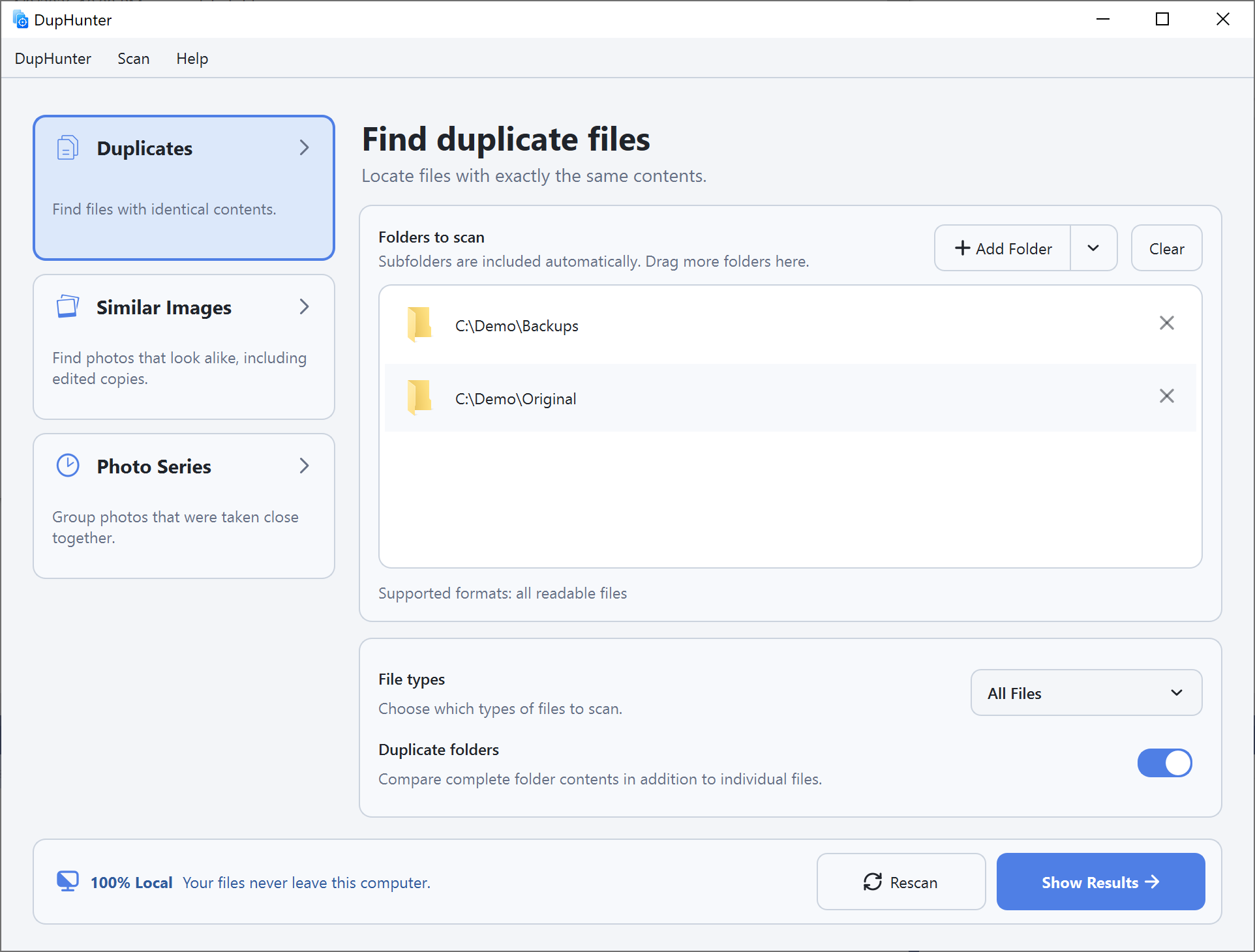
Three Search Modes. One Safe Cleanup Workflow.
Choose what you want to find: exact duplicates, similar images, or photos captured close together.
Add one or more folders, tune the search, compare grouped results, and confirm everything before removal.
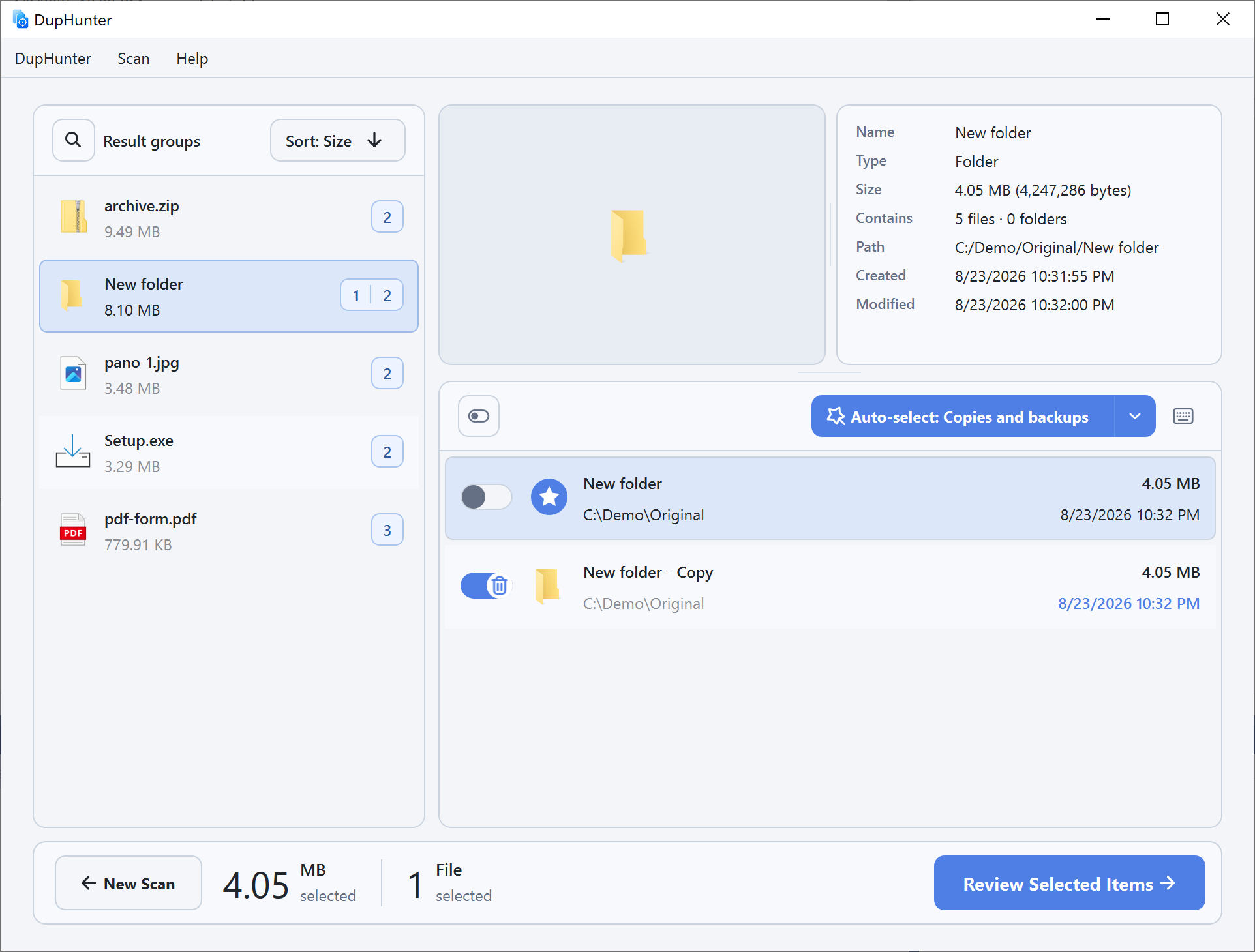
Find duplicate files and entire folders
Scan all readable files or limit the search to images. DupHunter compares contents—not just names—to find exact copies.
Duplicate folder groups include matching file contents and the same relative folder structure. Results are grouped by recoverable size so the biggest opportunities stand out first.
Learn how duplicate search works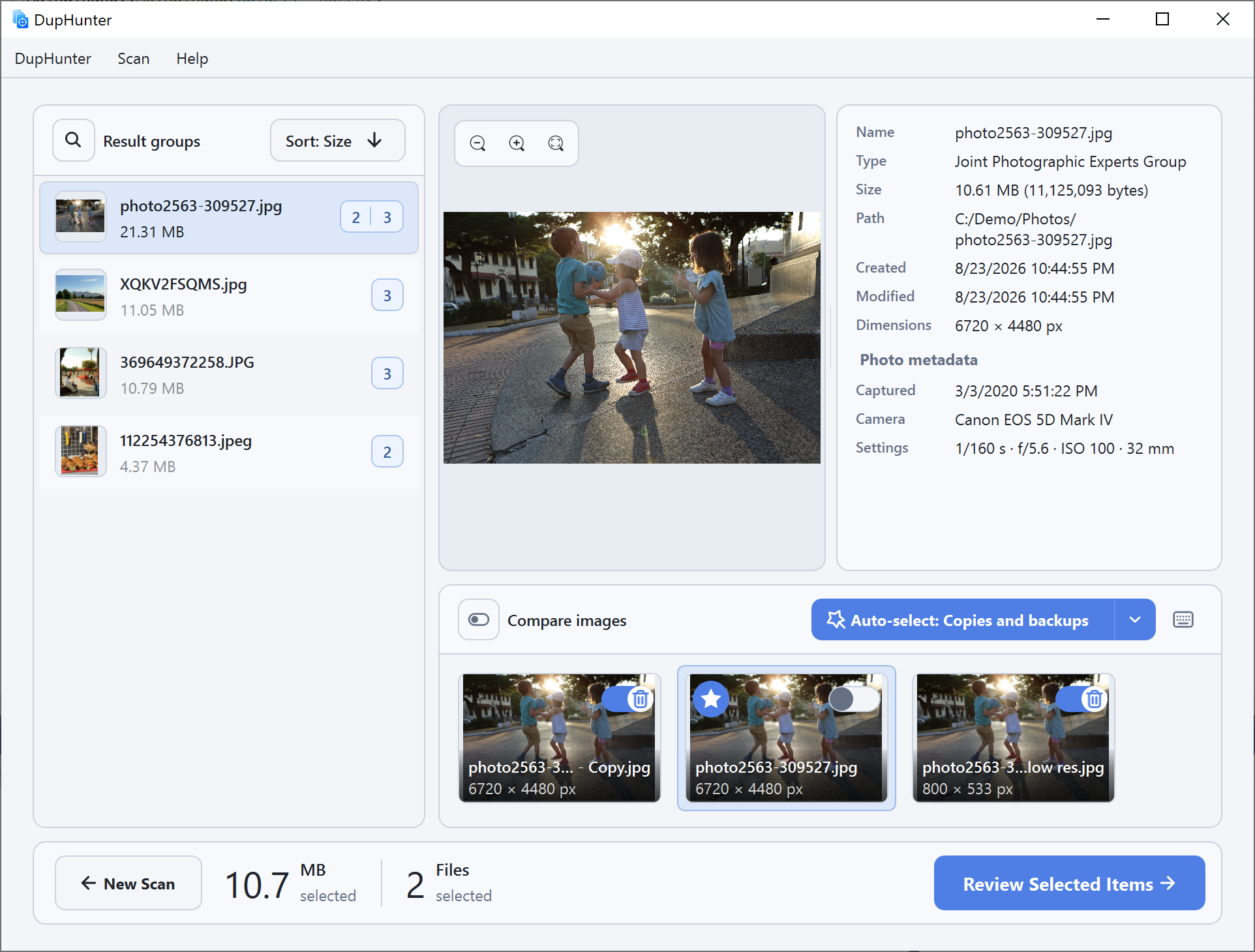
Spot related and edited images
Find photos that look alike even when one has been resized, cropped, recompressed, or edited.
Choose a match level from broad 80% similarity to 97% near-duplicates, then compare previews, dimensions, dates, and photo metadata side by side.
Learn how to find similar images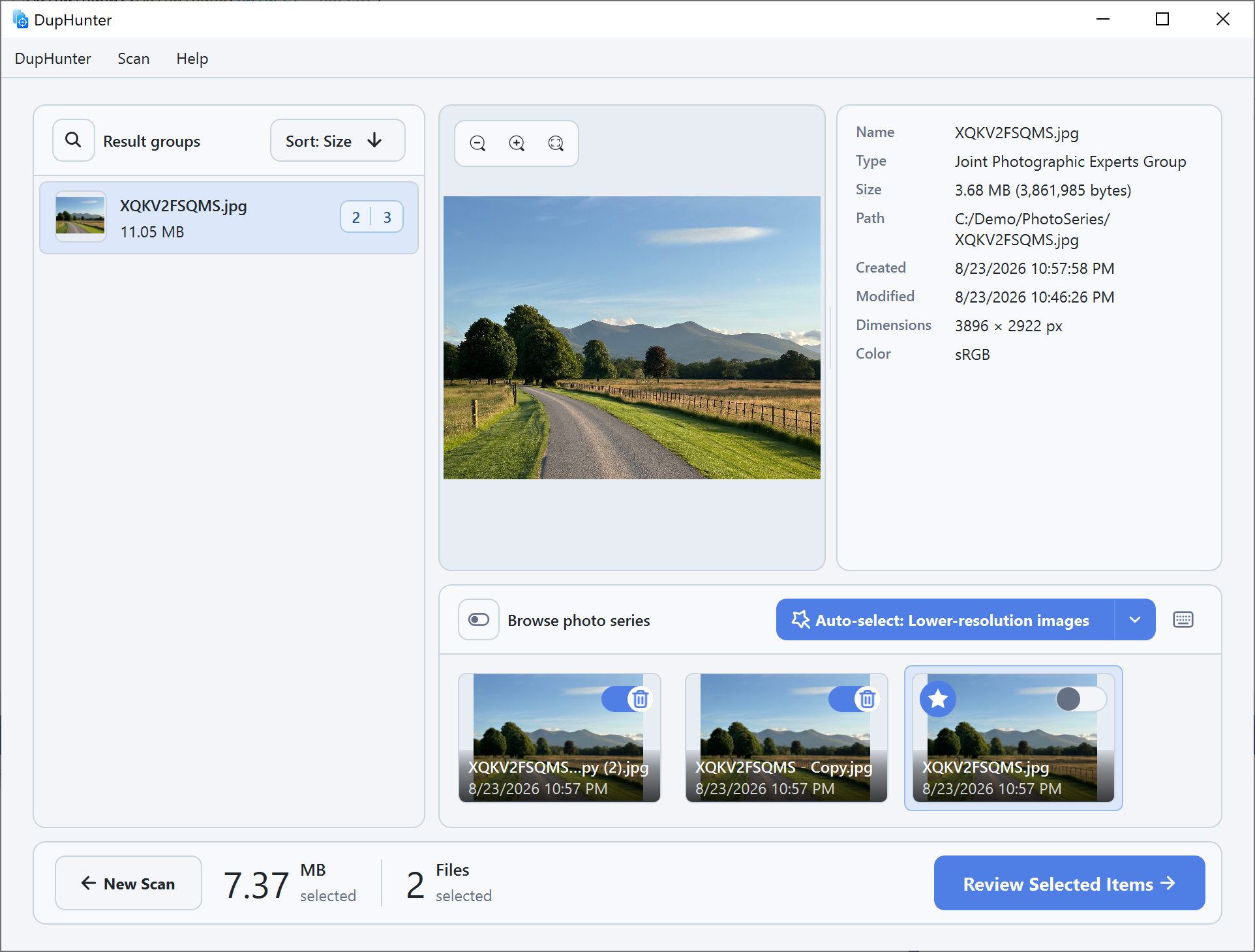
Choose the best shot from every burst
Group photos by when they were captured and review a burst or sequence as one visual set.
Set the maximum gap between shots from 1 second to 10 minutes. Browse the filmstrip, zoom into the selected image, and keep the strongest frame.
Learn about photo series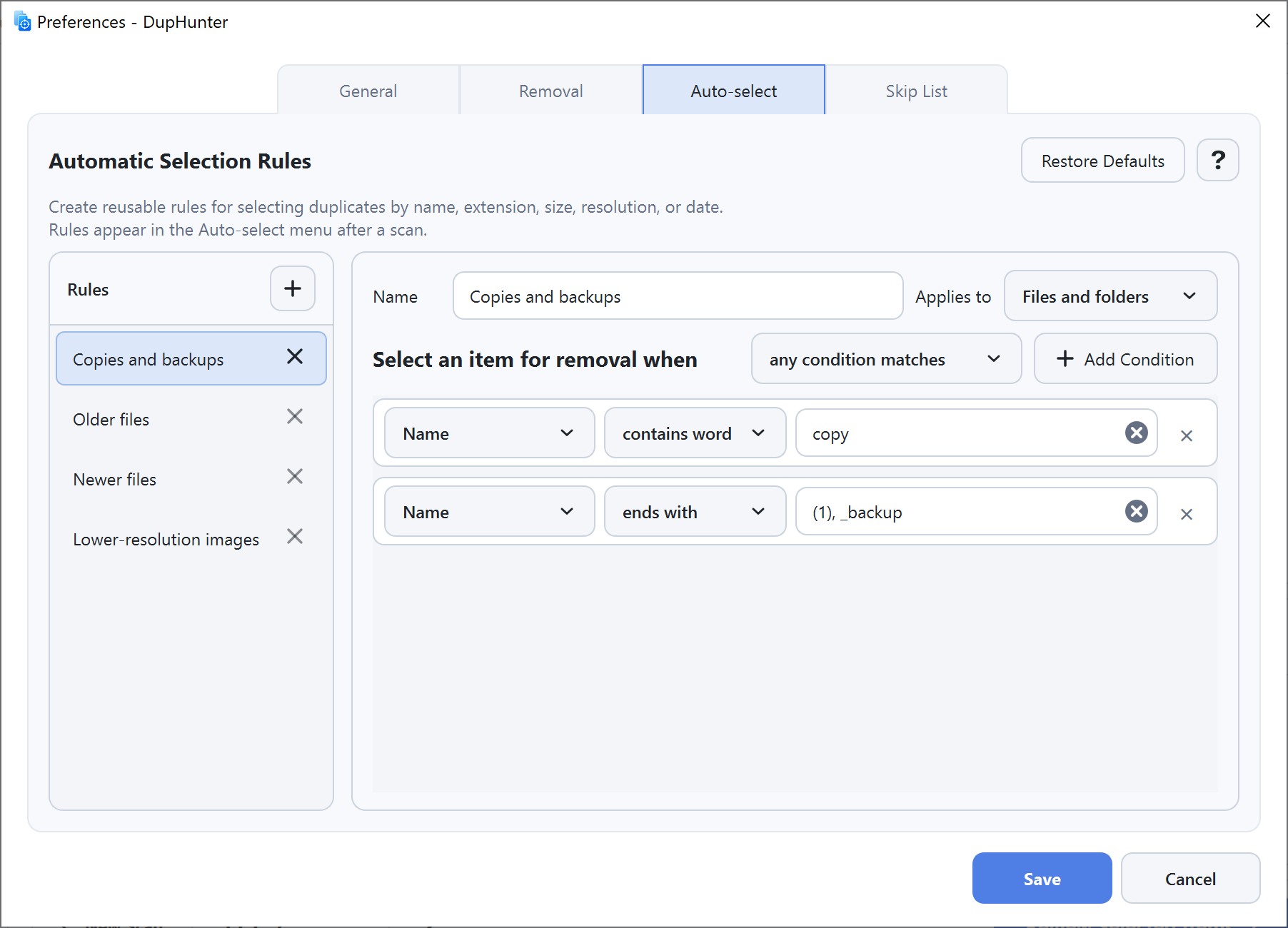
Automate selection without giving up control
Create reusable rules based on names, extensions, size, image resolution, modification date, or creation date.
Apply a rule to a result group, adjust the choices manually, and review the final list before anything moves to the Trash. By default, DupHunter keeps at least one item in every group.
Explore automatic selection rulesBuilt for large, real-world cleanups
Useful controls for repeat scans, complex folder trees, and careful removal—not just a one-click duplicate list.
100% local
Your files and photos stay on your computer throughout scanning and review.
Flexible exclusions
Skip folders, files, names, or extensions and choose whether hidden items are scanned.
Faster repeat scans
Cached hashes and photo metadata reduce work when you scan the same files again.
Removal history
Review past cleanups and restore available items from the Trash to their original locations.
Built-in safeguards for duplicate folders
Before a duplicate folder is removed, DupHunter verifies its current structure and contents against the copy being kept. If relevant files changed after the scan, removal stops.